Change your Di2 lever free stroke and reach
Do you have smaller hands than most and do you find the brake levers on your Shimano bike a bit hard to operate? Or are your hands relatively large?
Don't worry, you can easily change the lever reach and bring the brake levers closer - or move them further away.
You can change your lever reach on all Di2 levers, and it generally works the same for non-Di2 Shimano levers. All you need is a 2mm hex key.
Note that the reach is sometimes also referred to as lever stroke, especially in older Shimano documentation.
Change rim brake Di2 lever reach
Since the process is slightly different for rim brake levers and hydraulic disc brake levers, I've split this page up into two small sections. This section describes how to change the reach on the rim brake ST-6770, ST-6870, ST-R8050, ST-R8150, ST-9070, ST-R9150, and ST-R9250 levers.
Changing the lever reach (or stroke) on the rim brake levers is easy enough. The first thing you do is pull back the cover to expose the adjustment bolt.
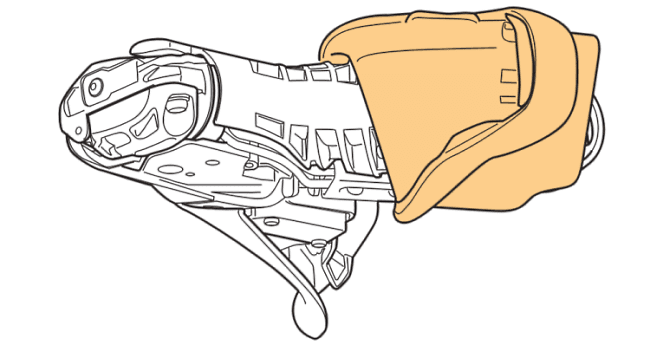
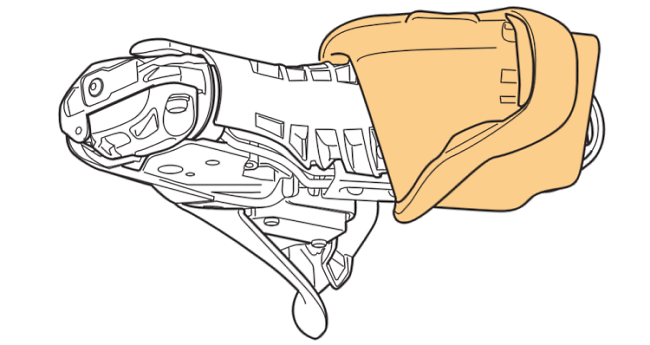
Next, take your 2mm hex wrench.
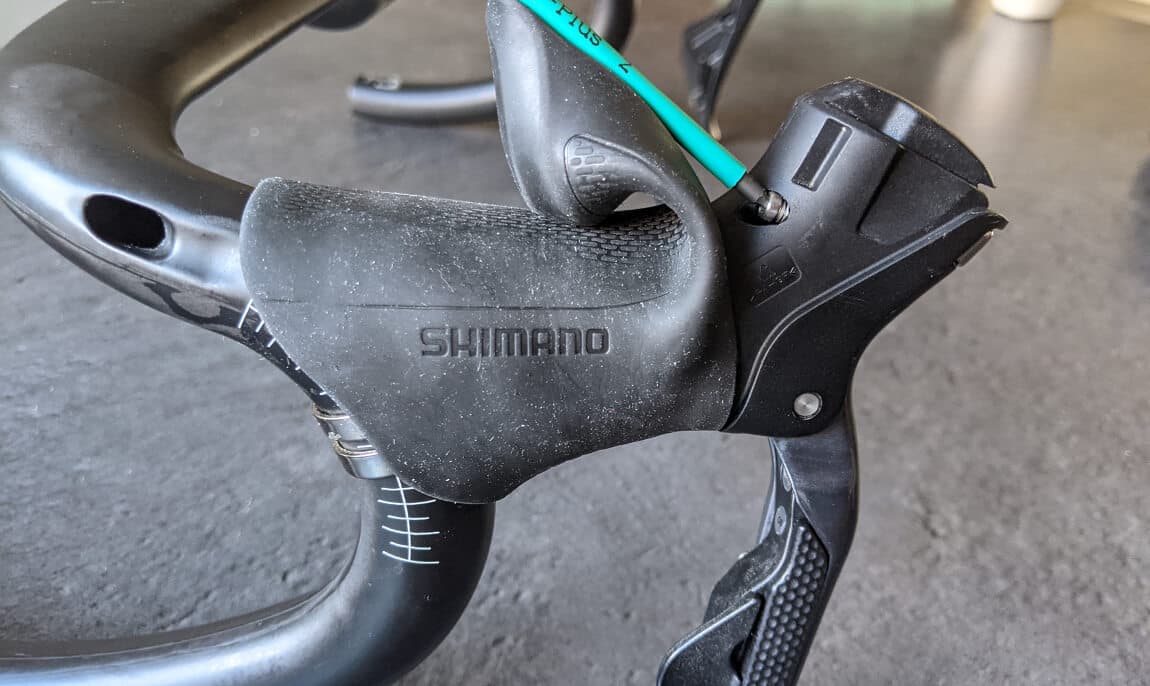
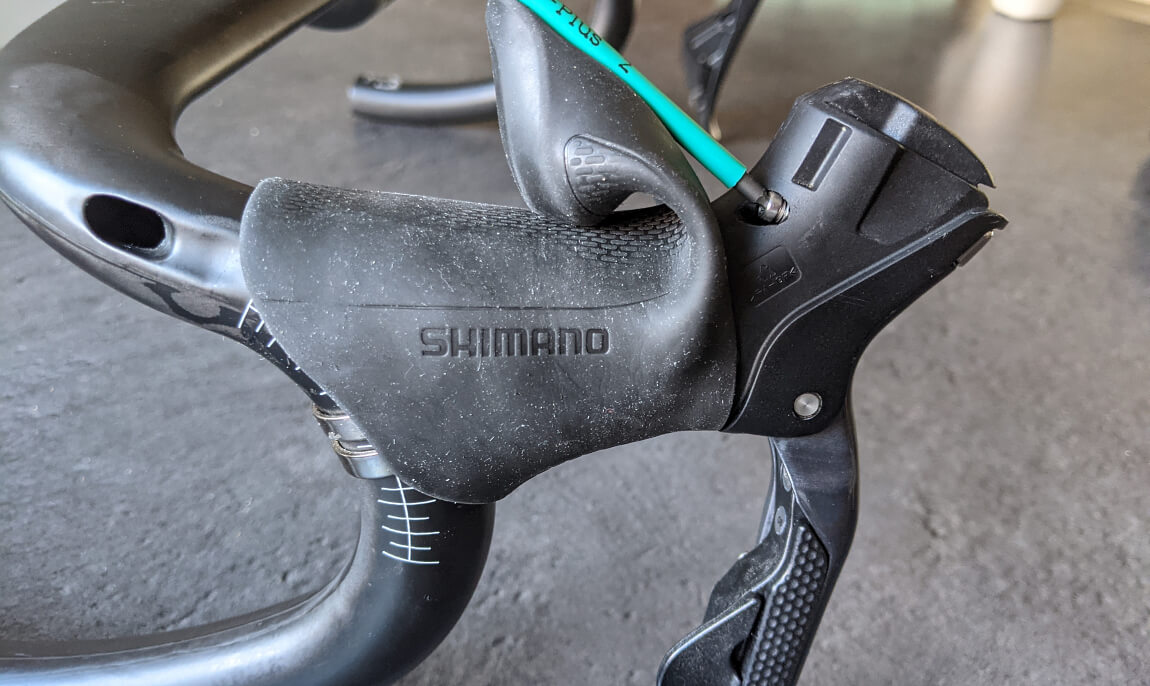
Turn left or counterclockwise to move the lever outward, or increase the reach. This will effectively move the lever further away from the handlebar.
Turn right or clockwise to move the lever in, or decrease the reach. This moves the lever closer, making it easier to grab.
On my Ultegra 6870 lever, the full range of motion (adjustability?) looks like this:
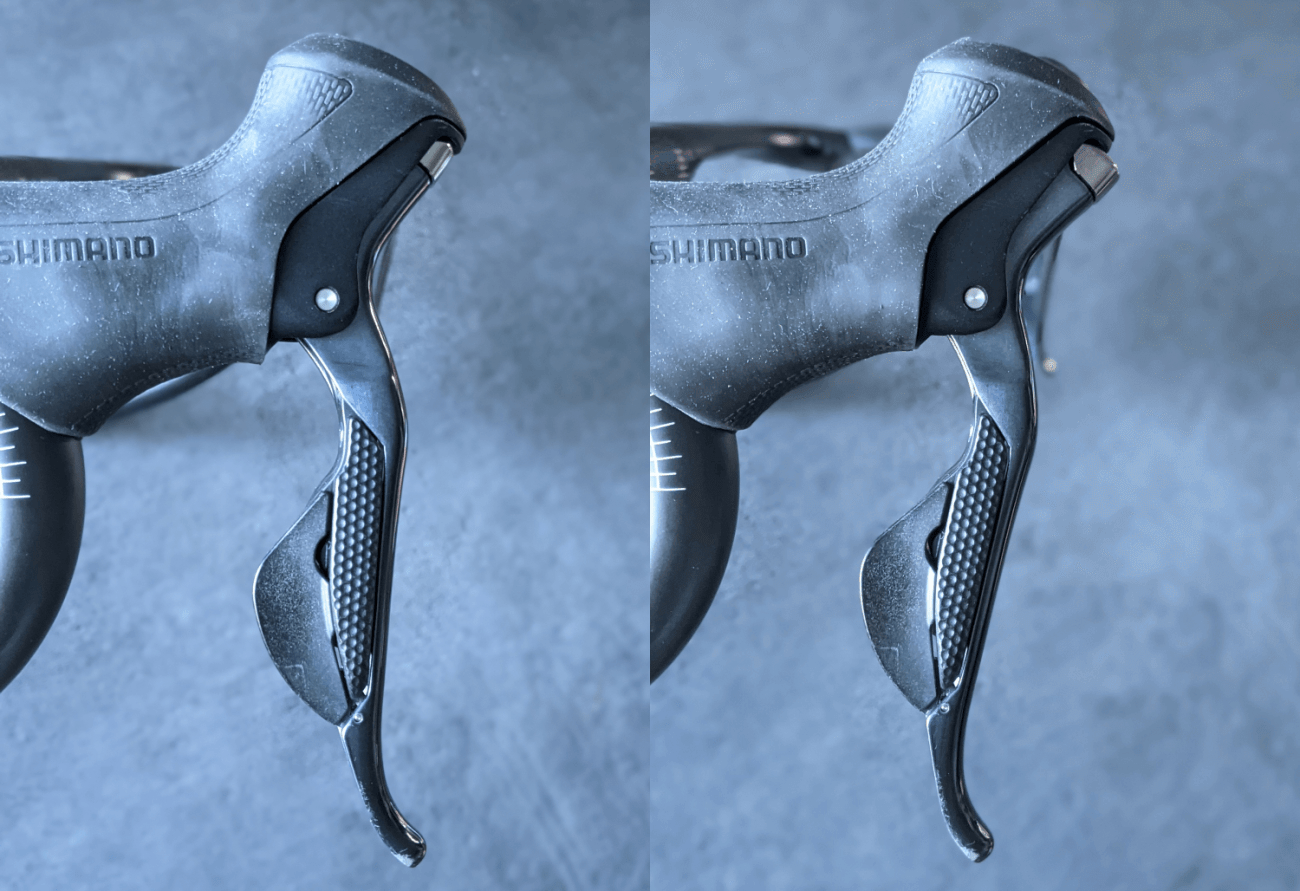
Change disc brake Di2 lever reach
This section applies to the hydraulic disc Di2 shift levers: ST-R785, ST-R8070, ST-R8170, ST-R9170, ST-R9270, and the GRX ST-RX815.
Shimano's hydraulic disc levers have both a reach and a free stroke adjustment.
Changing the reach will affect how close the brake lever is to the handlebar, while the free stroke changes the amount of travel before the brake pads hit the rotor.
This page is on changing the reach only, but there are plenty of videos on setting up the free stroke on YouTube. Note that if you change the free stroke, that'll also change the initial lever position - and you may need to change your reach afterward as well.
This video by Rides of Japan explains it well:
Change reach on R8070, R9170, R7170, R8170, and R9270
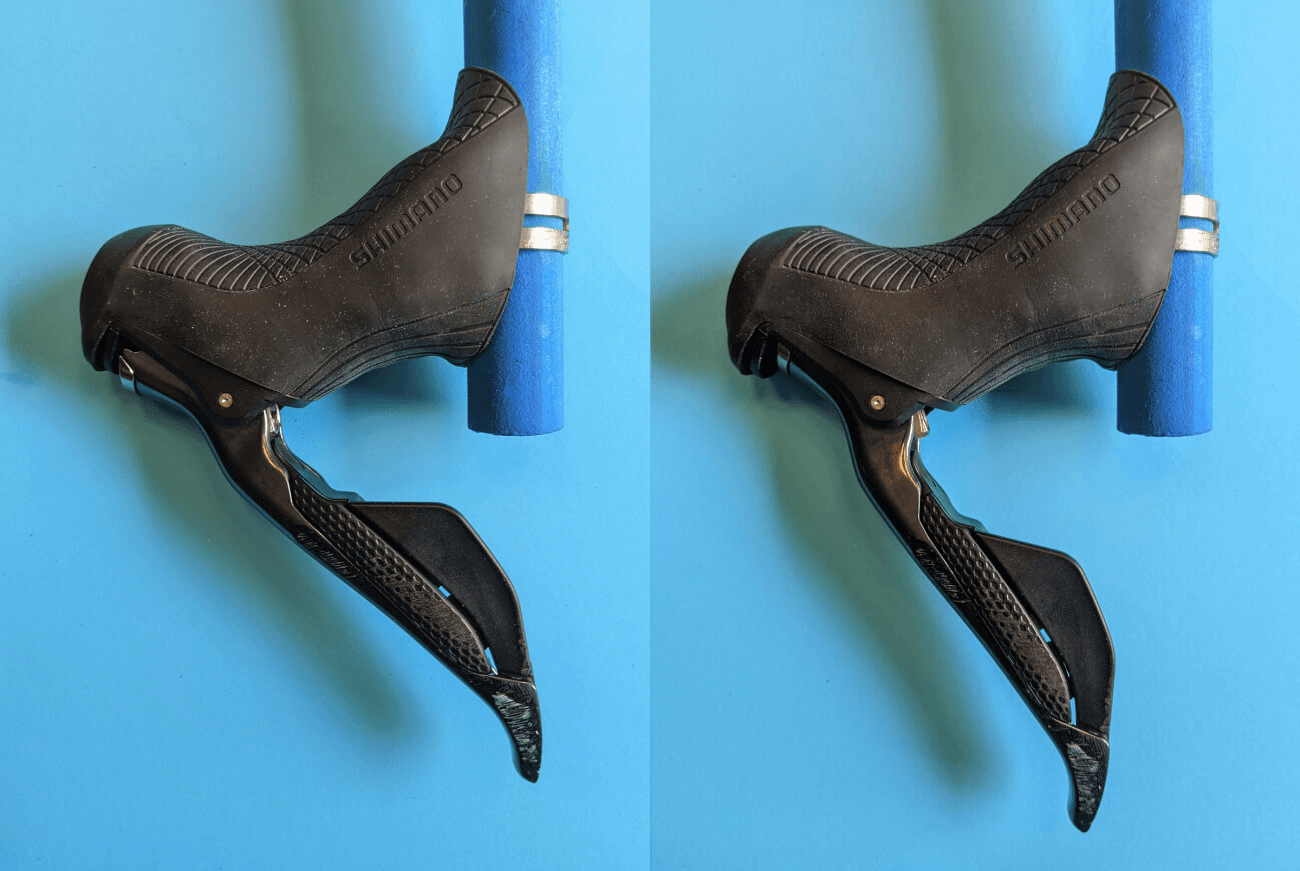
Setting up the shifter reach on ST-R8070, ST-R8170, ST-R9170, and ST-R9270 is easy - you don't even have to move the lever cover.
The adjustment bolt for the reach is on the inside of the lever itself, as shown in the left half of this image:
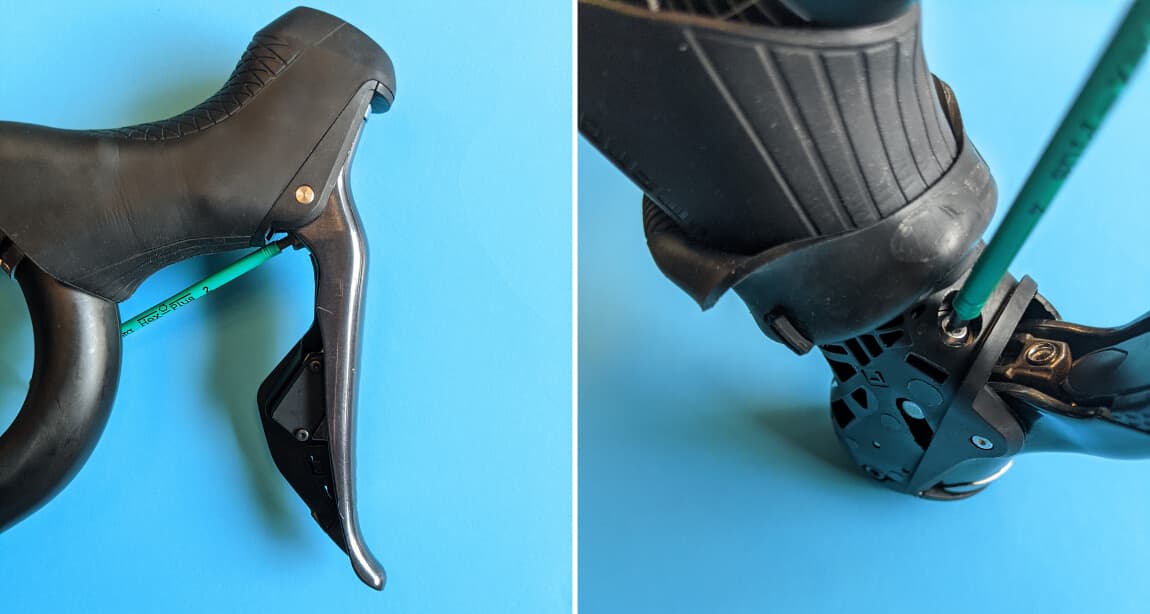
(the bolt shown on the right is the free stroke adjustment bolt)
Turning the bolt clockwise increases the lever reach, while turning it counterclockwise decreases the reach.
Lever reach on ST-R785 and ST-RX815
In order to change the reach on these levers, you'll have to pull back the hood cover as shown below.
Next, locate the reach adjustment bolt. On ST-RX815 it is located on top of the lever:
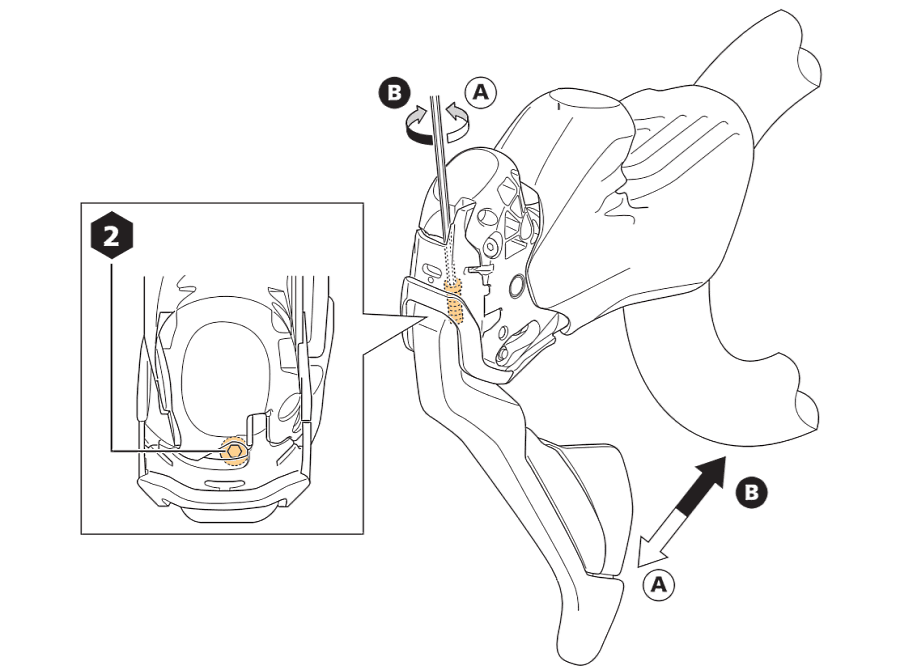
Turn clockwise to decrease lever reach. Turn anticlockwise to increase the reach, or move the lever away from the handlebar. Use a 2mm hex wrench.
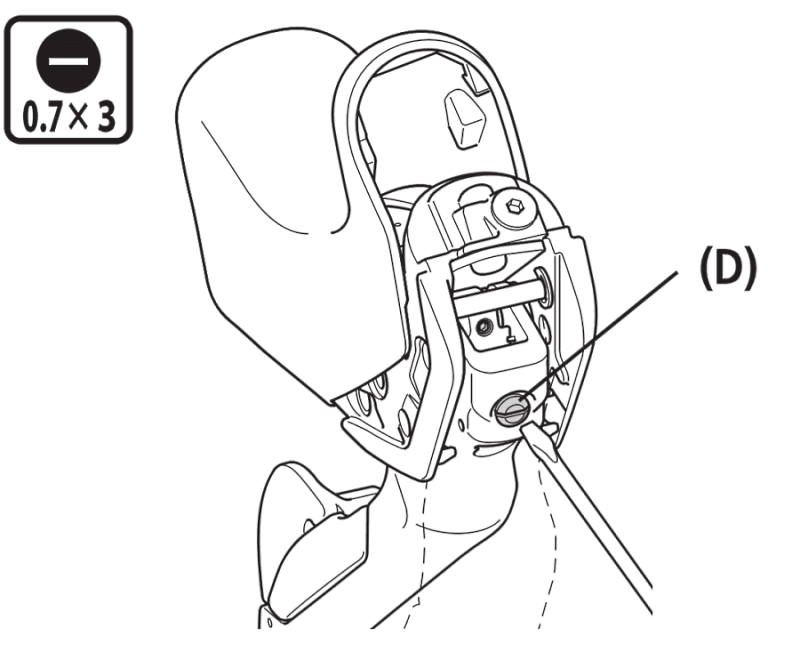
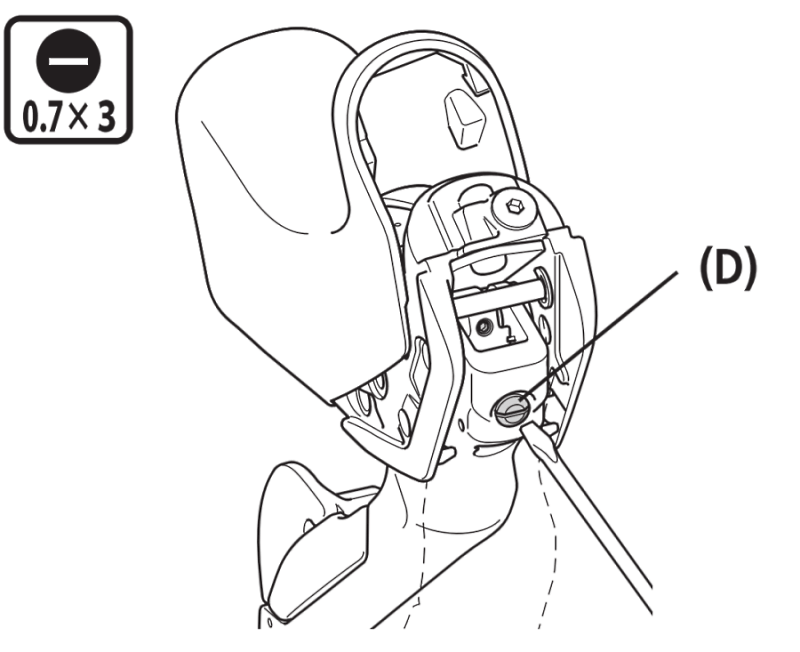
The ST-R785 lever reach adjustment bolt works the same as the others - turn clockwise to increase the reach, and turn counterclockwise to decrease it. Note that you'll have to use a flat-head screwdriver.
Question, comments, suggestions
That's it! You should now be able to set up the reach as you like.
Are things unclear, or are you missing something? Please let me know! You can send me a message, or leave a comment below.

About the Author - BetterShifting Terry
I enjoy playing with bike tech - both bike building and wheel building, bike maintenance and of course, Di2. Besides writing content and working on the technical side of BetterShifting, I also work as a Software Developer in The Netherlands. Read more on the About this site page.

Support the site
If you want to support the site, consider using the site affiliate links, or buying me a coffee.
Comments
Was this page useful? Any questions? Leave a comment below and I'll get right back to you.